Step-by-Step Guide: AngelOne SmartAPI Account Creation, API Key, and TOTP Generation
A complete walkthrough for setting up your AngelOne SmartAPI for algorithmic trading.
1. AngelOne SmartAPI Account Creation
First, you need to have an AngelOne account. If you don't have one, you can sign up on their website. Once you have an account, follow these steps to get started with SmartAPI.
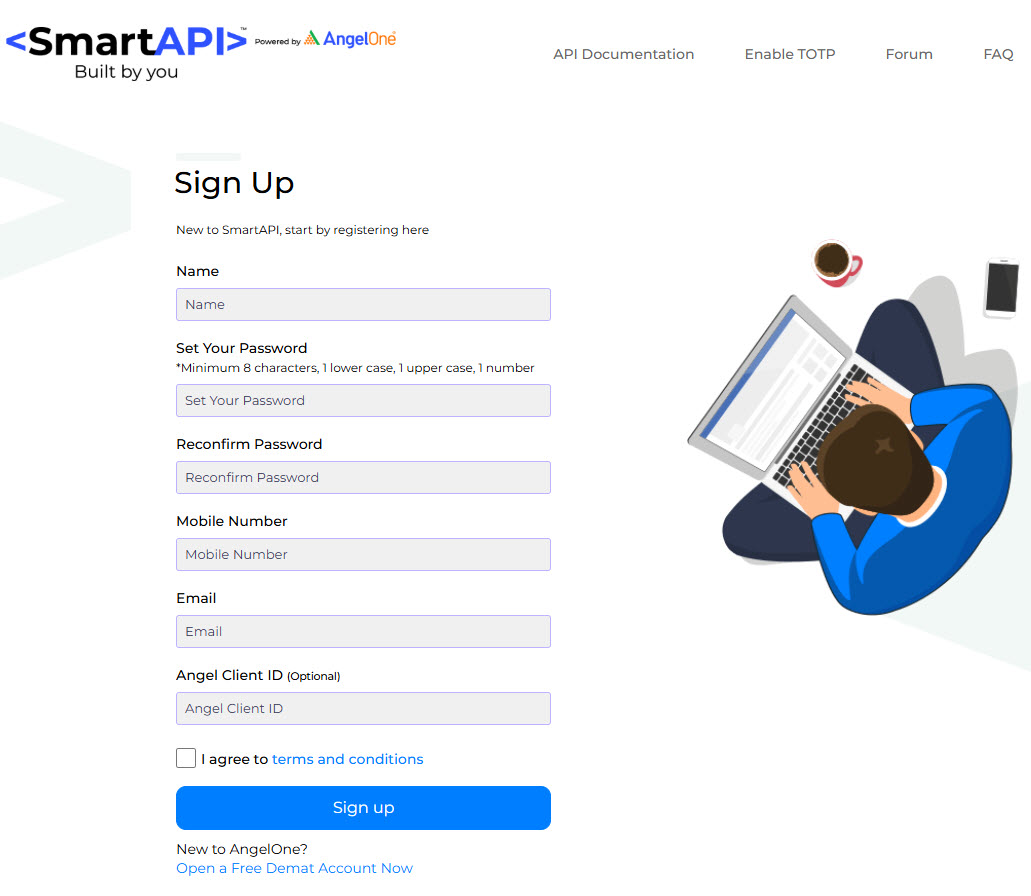
- Visit the AngelOne SmartAPI website.
- Click on "Sign Up", fill the sign up form and log in.
- You will be redirected to the developer portal.
2. API Key Generation
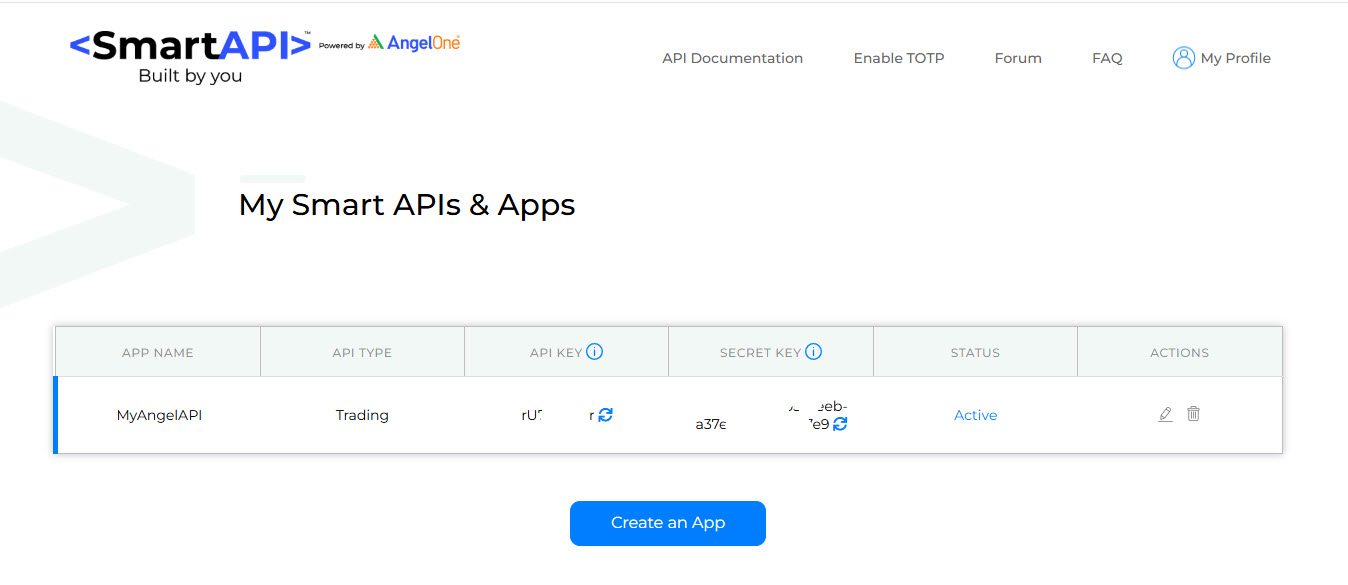
After logging into the SmartAPI portal, you need to create an app to get your API key.
- Navigate to the "My Apps" or "Create an App" section.
- Fill in the required details for your new app:
- App Name: A descriptive name for your application (e.g., "AlgoFruit Trading Bot").
- Redirect URL: A URL where you will be redirected after
authentication. For local testing, you can often use
http://127.0.0.1orhttps://localhost. - Postback URL: Optional URL for receiving order updates.
- Once the app is created, you will receive your API Key. Keep this key safe as it is used to authenticate your API requests.
3. TOTP (Time-based One-Time Password) Generation
For enhanced security, AngelOne uses TOTP for logging in via the API.
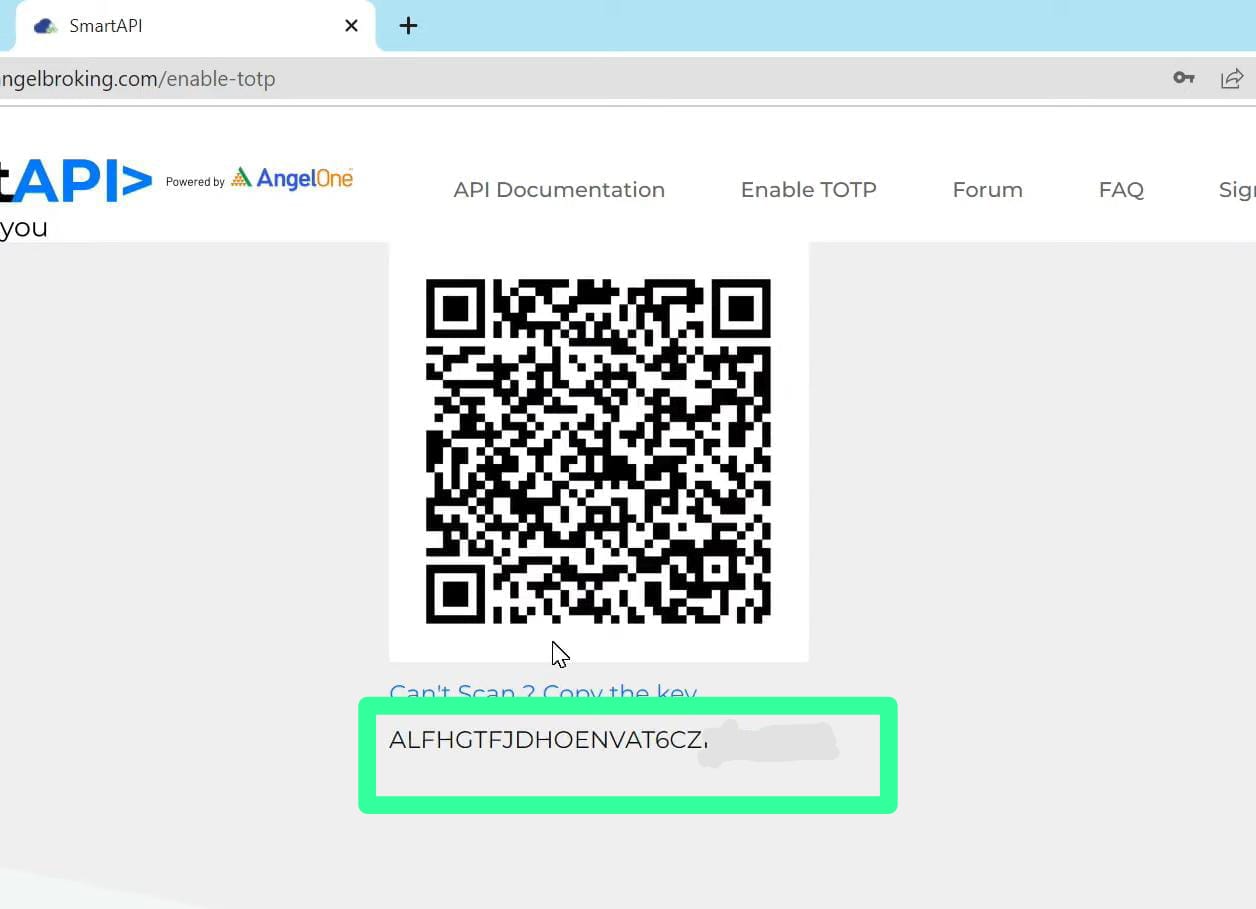
- In the SmartAPI portal, find the option to enable 2FA or TOTP.
- You will be shown a QR code after login with Client ID and MPIN. Copy the code shown below to the QR code somewhere safe.
4. Setup AngelOne Credentials in AlgoFruit Portal
Once you have your AngelOne API Key, MPIN, Secret Key, and TOTP Secret Key, you need to configure these credentials in the AlgoFruit portal to enable automated trading.
- Log in to your AlgoFruit Portal.
- Navigate to Broker Settings and select Angel One as your broker.
- Enter your Broker User ID, API Key, MPIN, Secret Key, and TOTP Secret Key in the respective fields.
- Click Test Connection to verify your credentials, then Save Broker Settings.
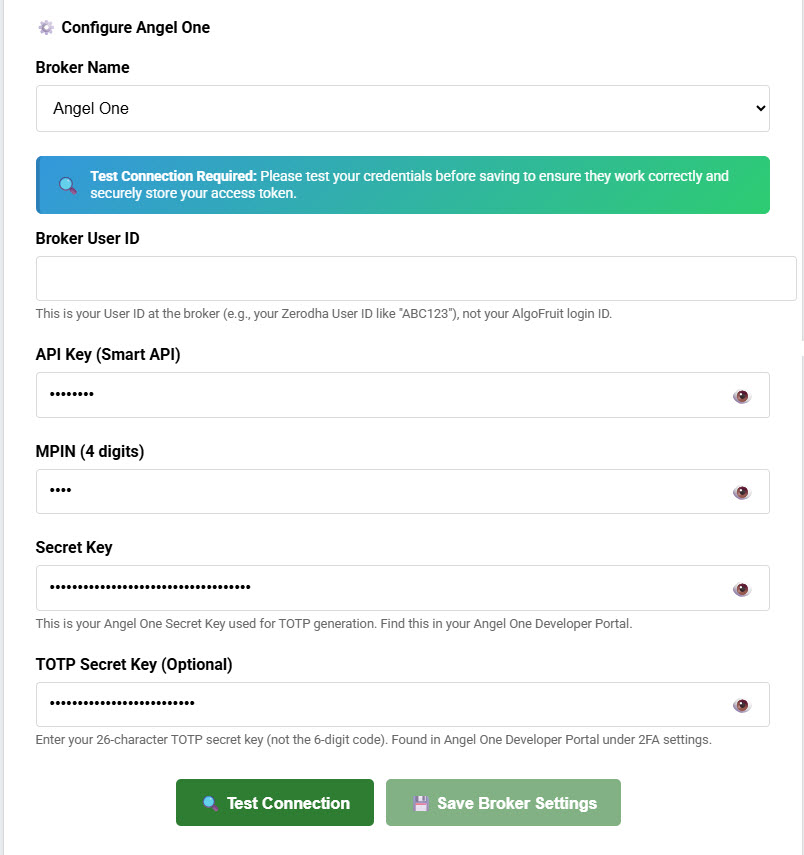
Your AngelOne account is now connected to AlgoFruit. You can now go to Dashboard, your subscribed strategy's configuration, click on Edit and select the broker you just configured.
With your API key, TOTP setup, and AlgoFruit portal configuration, you are now ready to start building and running your automated trading strategies with AngelOne SmartAPI. Happy trading!